April 2, 2026
Stay on Top of Team Activity with Email Notifications
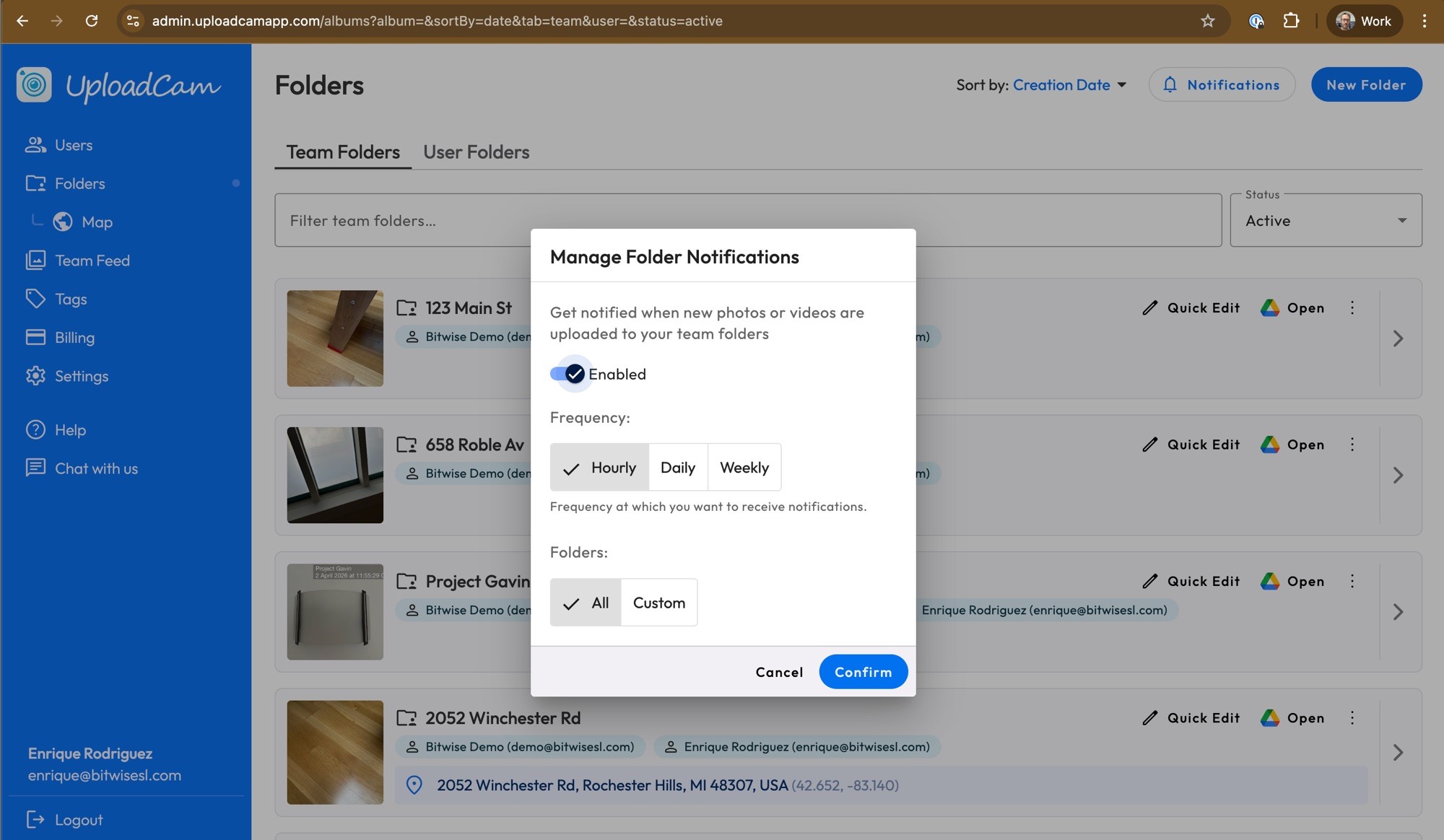
Keeping track of new photos and videos uploaded by your team just got easier. With Folder Activity Notifications, admins can receive email updates whenever new content is added to team folders, so you’re always in the loop without needing to constantly check the app.
Here’s how to set it up 👇
Go to the "Folders" page in the admin panel
Navigate to the Folders page in the admin panel and click "Notifications" in the top right corner:
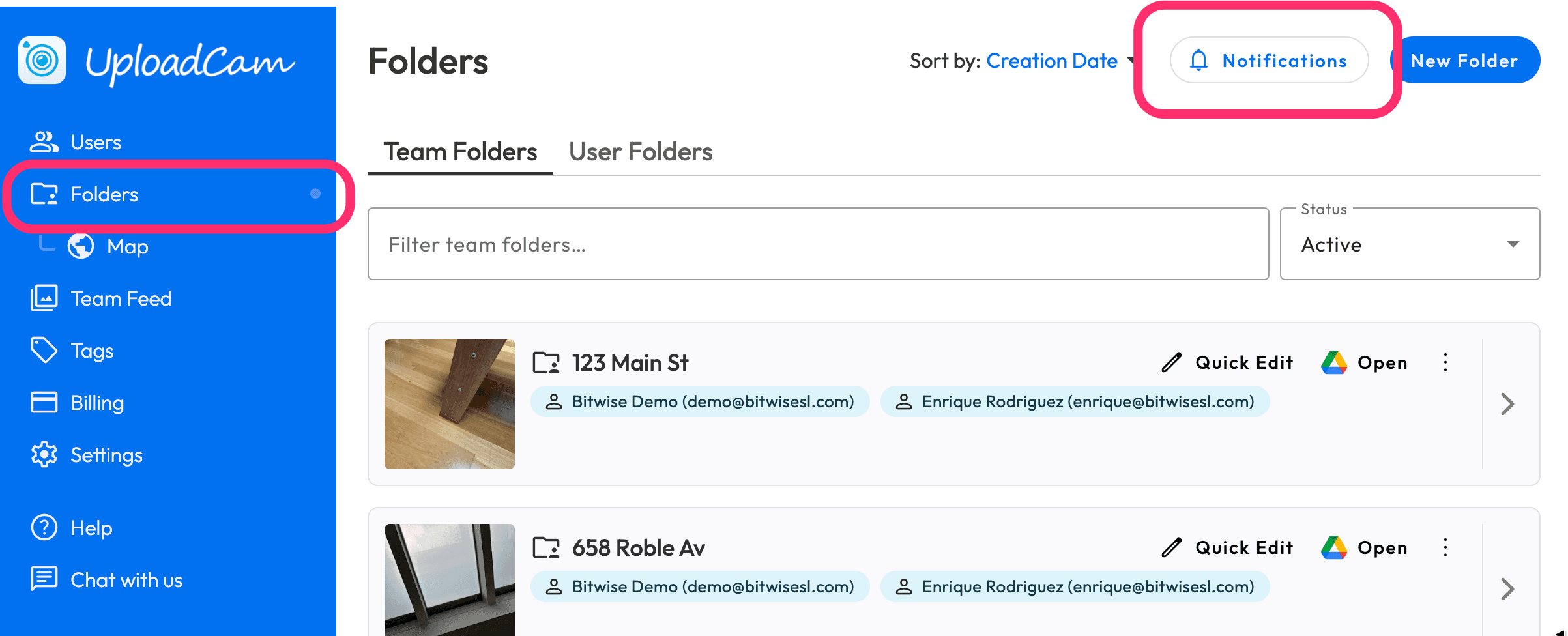
Click on Notifications and then Enable Notifications
Toggle “Enabled” to start receiving notifications.
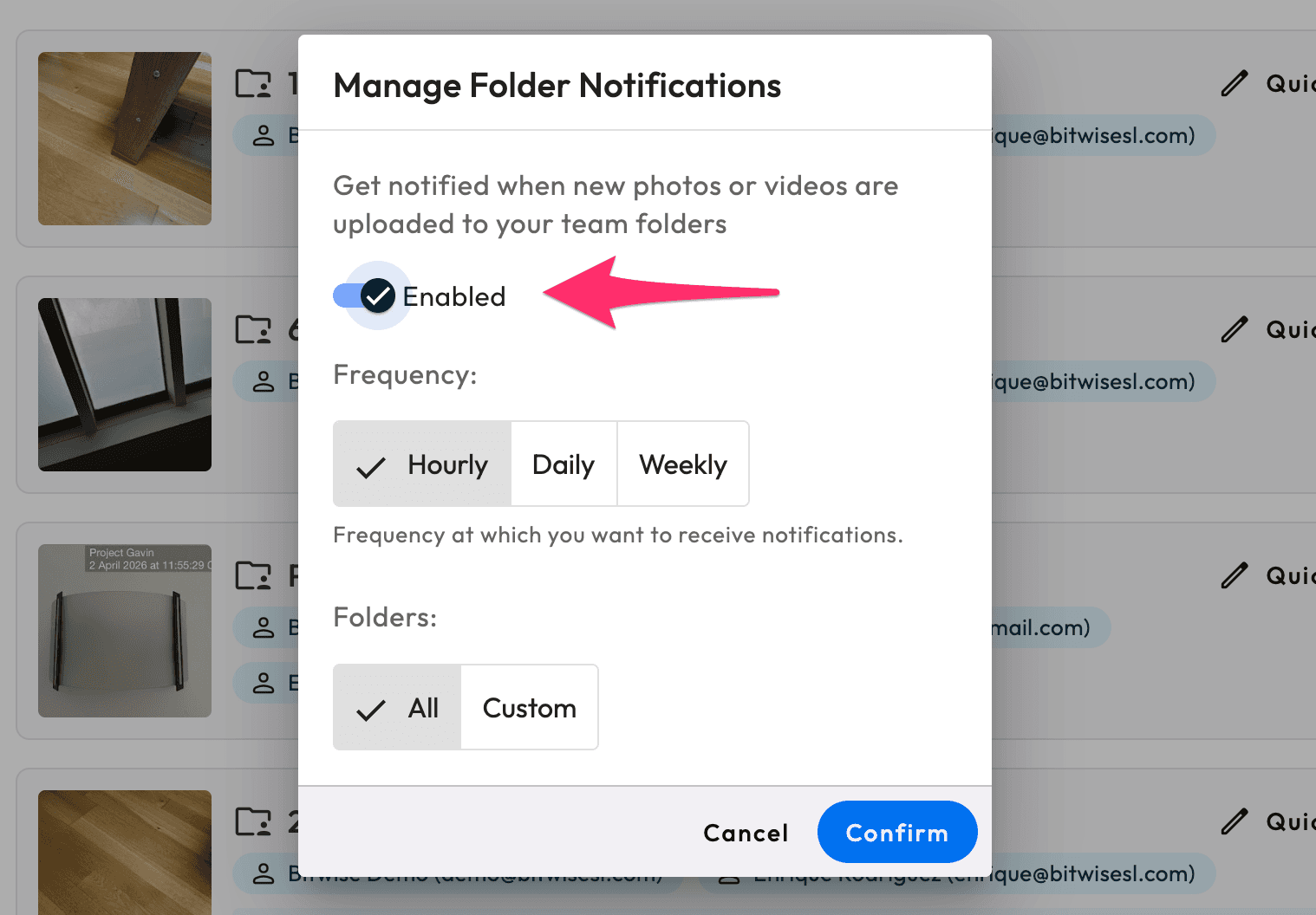
Once turned on, you’ll begin receiving email updates whenever new photos or videos are uploaded to the folders you’re subscribed to.
Choose Your Notification Frequency
You can control how often you receive updates:
• Hourly – Great for real-time awareness
• Daily – A balanced summary of activity
• Weekly – A high-level overview
Choose the option that best fits how closely you want to monitor activity.
Select Which Folders to Follow
You have two options:
• All folders – Get notified about activity across your entire team
• Custom – Select specific folders you want to monitor
This is especially useful if you only care about certain projects, locations, or teams.
Confirm Your Settings
Click Confirm, and you’re all set 🎉
From now on, whenever new photos or videos are uploaded to your selected folders, you’ll receive an email notification with the latest activity.
========
If you have any feedback or ideas, we’d love to hear from you here or email us at support@uploadcamapp.com 🚀