December 11, 2025
UploadCam for Construction Teams

Capture, organize and document every job site with ease.
Construction projects evolve by the hour — and reliable photo documentation is essential. UploadCam gives your crew a fast, accurate way to capture job-site progress and instantly organize everything in the right place using the cloud platforms you already rely on: Google Drive, Dropbox, and OneDrive.
No extra steps. No mixed personal photos. No confusion about which project a photo belongs to.
Built for construction crews working across multiple job sites
Your field teams need a camera tool that keeps pace with real-world conditions: multiple projects, multiple locations, and dozens of photos taken each day. UploadCam ensures every image ends up exactly where it belongs.
1. Set up construction projects once — including GPS location
Managing job sites is effortless with the UploadCam Admin Panel.
In one streamlined step, your office team can:
Create a folder for each project
Assign the project to the crew members working on that site
Add the job site’s GPS coordinates (or simply drop a pin on the map)
Control who can upload to which project
Once created, each project automatically appears in the UploadCam mobile app for the assigned users.
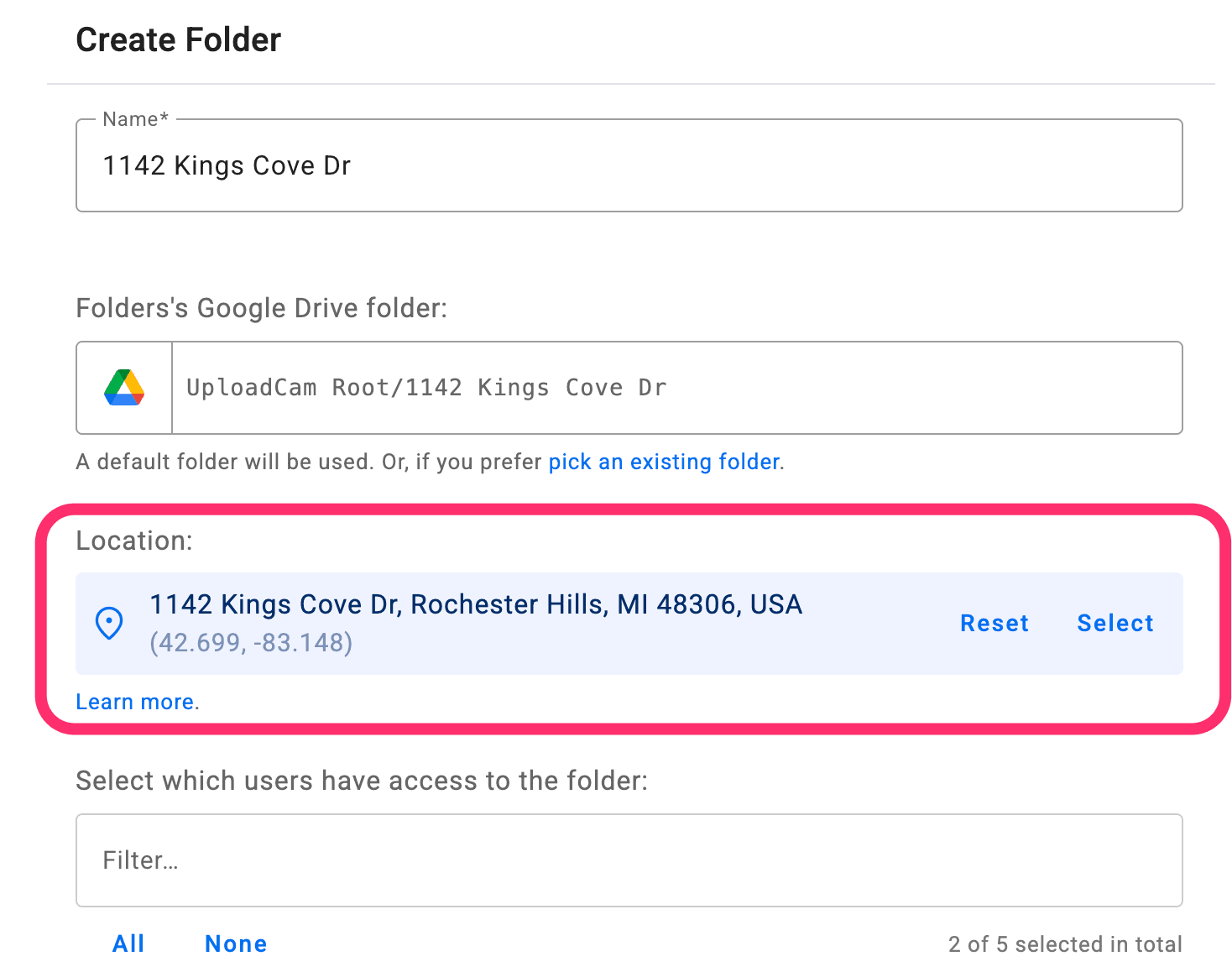
Smart auto-switching based on GPS
When your crew arrives on-site, UploadCam instantly detects the location and:
Switches to the correct project folder automatically
Ensures all photos and videos go to the right place
Eliminates manual selection and costly organizational errors
This is one of the most powerful features for construction teams—keeping documentation consistently accurate without requiring extra effort from the field.
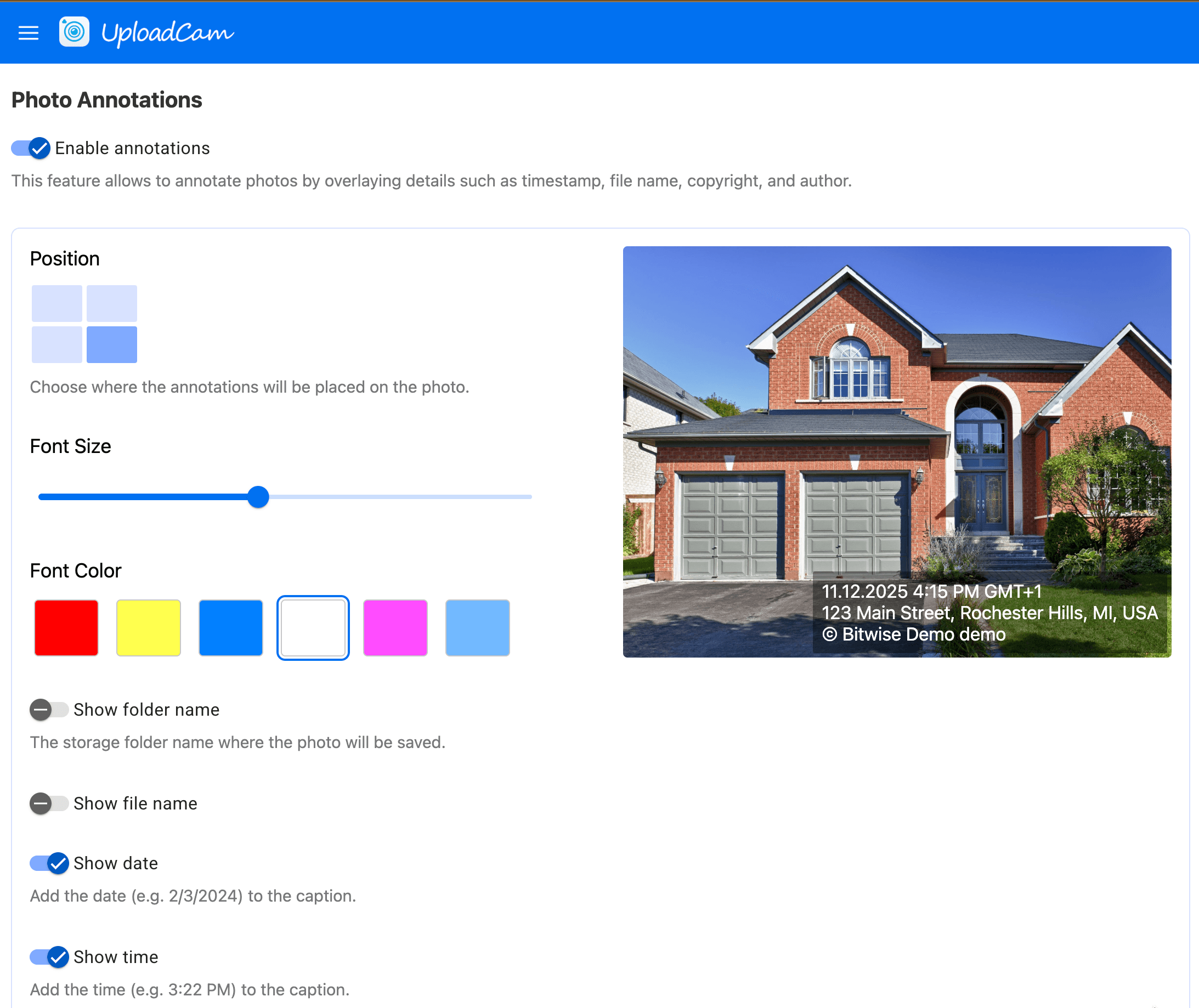
2. Annotated photos for instant clarity and traceability
Each photo your crew takes can include optional annotations containing:
Date + Time
GPS location
Closest address based on GPS position
The name of the user that took the photo
The folder the photo was uploaded to
Copyright label
Custom label
These annotations appear directly on the image, making it easy for office staff, auditors, inspectors, or clients to instantly understand when and where the photo was captured.
3. Create professional PDF reports in seconds
A fast way to summarize job-site progress for clients or internal teams
One of UploadCam’s newest and most requested features:
Your team can now select photos from a project and instantly generate a clean, professional PDF report — right from the mobile app.
Each PDF can include:
Project name
Date range or reporting period
Annotated photos
Optional notes or descriptions
Your company logo (if enabled)
PDF reports are perfect for:
Weekly progress summaries
Client updates
Inspection reports
Documentation handoffs
Before/after comparisons

4. Works seamlessly with the cloud storage your company already uses
UploadCam uploads directly into your existing cloud environment — not into a new system or proprietary backend.
Compatible with:
✔ Google Drive
✔ Dropbox
✔ Microsoft OneDrive
Your data stays in your organization’s own folders, under your control and security policies.
Stay organized. Stay compliant. Stay efficient.
UploadCam helps construction firms eliminate messy photo workflows, reduce admin time, and maintain clean, accurate records for every project — all without asking your crew to change their habits.
Your field team gets simplicity.
Your office gets perfect organization.
Your clients get better visibility.
See how UploadCam can transform your job-site documentation
Streamline your workflow. Improve accuracy. Save hours every week.